Quick answer
The best free SEO tools for beginners are simple tools that each do one job well. Start with a free SEO plan generator, a keyword research tool, an SEO audit, a page speed checker, a meta tag generator and a Google rank checker. Add Google Search Console, which is also free. With these and the 7-day plan in this guide, a complete beginner can start improving their website's Google rankings this week, without coding and without paying.
Key takeaways
- SEO is three things: the right content (on-page), a website Google can read (technical) and trust from other websites (off-page).
- Beginners need a starter kit of 10 easy tools, not an expensive all-in-one platform.
- Each tool below shows how easy it is and how long it takes.
- Use the 7-day plan, glossary and checklist to get started today.
What is SEO? (explained simply)
SEO (search engine optimization) is the work of making your website appear higher in Google and other search engines when people search for what you offer. Higher positions mean more visitors, and because you do not pay per click, that traffic is free.
Think of Google as a librarian. To recommend your page, it needs to find it, understand it and trust it. SEO has three parts that match those needs:
- Technical SEO: helping Google find and read your pages (speed, sitemap, robots.txt, no broken links).
- On-page SEO: making each page clearly about one topic, with the right keyword, a good title and genuinely helpful content.
- Off-page SEO: earning trust, mainly through links from other websites (backlinks) and mentions of your brand.
Do beginners need paid SEO tools?
No. Paid platforms are built for agencies and large websites, with hundreds of reports a beginner will never open. When you are learning, too much data makes it harder to know what to do. Free SEO tools that each answer one question ("Which keyword?", "What is broken?", "Where do I rank?") are easier to learn and give you everything a small website needs. You can always upgrade later, once you know which features you really use.
The beginner's SEO starter kit: 10 free tools
Use these ten tools in this order. Each one shows how easy it is and roughly how long it takes the first time.
Why beginners need it: it tells you what to do first, so you do not get lost
Answer a few simple questions about your business, location, goal and budget. You get a personalised plan with the marketing channels to focus on, starter keywords, a 90-day roadmap and content ideas. Print it and use it as your to-do list.
Get my free SEO planWhy beginners need it: it shows the exact words your customers type into Google
Type what you offer, for example "wedding photographer", and get hundreds of real search ideas, such as "wedding photographer prices" or "how to choose a wedding photographer". Each keyword shows its search intent, an estimated search volume and a keyword difficulty label: Low, Normal or High.
Beginner tip: choose keywords marked Low difficulty first. They are much easier to rank for on a new website.
Good to know: Volume and difficulty are estimates, best used to compare keywords with each other.
Find my first keywordsWhy beginners need it: it finds problems you would never spot by looking at your website
Enter your website address. The tool checks every page for 23 common SEO problems, such as missing titles, duplicate descriptions, missing image alt text and missing headings, tests your speed, and gives you a PDF report that explains each fix. Fix the red items first.
Run my free SEO auditWhy beginners need it: slow websites lose visitors and rankings, especially on phones
Paste a page link to get a speed score for mobile and desktop from Google Lighthouse, plus the top fixes. For most beginners the biggest win is simple: make images smaller (compress them and use WebP) before uploading.
Try the Page Speed Checker freeWhy beginners need it: your title and description are what people see in Google
Type a page title and description and the tool shows if they are too long, then gives you the ready-made code. A good title includes your main keyword near the start and stays under about 60 characters. A good description (about 150 characters) tells people why they should click.
Try the Meta Tag Generator freeWhy beginners need it: you see your Google result before anyone else does
See exactly how your page will look in Google on desktop and mobile. If your title gets cut off with "...", shorten it until it fits.
Try the SERP Preview freeWhy beginners need it: it gives Google a map of every page you want found
Enter your website and download a sitemap.xml file. Upload it to your website (many website builders and WordPress SEO plugins make one for you), then submit its address in Google Search Console.
Try the Sitemap Generator freeWhy beginners need it: one wrong line can hide your whole website from Google
Choose what search engines may and may not visit, add your sitemap, and copy the finished robots.txt file. If you are unsure, allow everything except admin or login areas.
Try the Robots.txt Generator freeWhy beginners need it: it shows if your work is paying off
Enter a keyword and your website to see your exact position on Google, by country and device, plus the top 10 pages for that search. Write your positions down once a month so you can see your progress.
Check my Google positionWhy beginners need it: links from other websites are one of the strongest ranking signals
Enter any website to see pages that link to it, with the anchor text and whether each link is dofollow or nofollow. Check a local competitor: the directories, suppliers and local news sites that link to them are a ready-made list of places to ask for a link too.
Try the Backlink Checker freeWhen you are ready: 7 more free SEO tools
Once the basics are done, these tools help you go further. You do not need them in week one.
- Keyword Density Checker: check that a page is focused on its keyword without overusing it.
- Broken Link Checker: find links on your site that lead to error pages.
- Schema Markup Generator: add structured data so Google can show rich results such as FAQs and breadcrumbs.
- Website Authority Checker: compare how strong your website is against competitors.
- Search Engine Rank Checker: check your position on Google, Bing, Yahoo, DuckDuckGo and Brave at once.
- Yahoo Rank Checker: check up to five keywords on Yahoo in one go.
- URL Source Code Viewer: see your page the way Googlebot sees it.
Plus one free tool from Google every beginner should set up: Google Search Console. It shows the real searches that bring people to your site, your average position and any indexing problems.
Your first week of SEO: a 7-day beginner plan
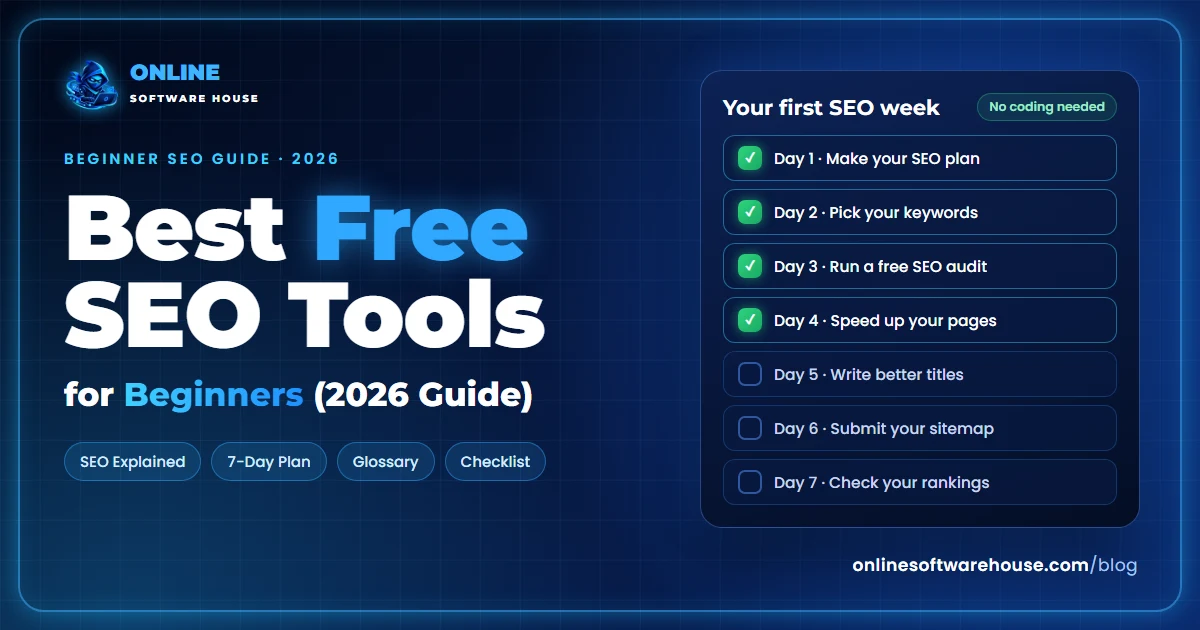
| Day | Task | Free tool |
|---|---|---|
| Day 1 | Create your SEO plan and set up Google Search Console | Plan Generator |
| Day 2 | Choose one main keyword for each of your key pages | Keyword Research |
| Day 3 | Run an audit and fix the most important problems | SEO Audit |
| Day 4 | Compress big images and test your speed again | Page Speed Checker |
| Day 5 | Rewrite titles and descriptions for your key pages | Meta Tags, SERP Preview |
| Day 6 | Create and submit your sitemap; check robots.txt | Sitemap, Robots.txt |
| Day 7 | Record your starting rankings and list 5 link ideas | Rank Checker, Backlink Checker |
After week one, publish or improve one helpful page each week and check your rankings once a month.
SEO terms explained for beginners
SEO has a lot of jargon. Here are the terms you will see most, in plain English:
- SERP
- Search Engine Results Page: the page of results you see after searching on Google.
- Keyword
- The word or phrase people type into a search engine, such as "best pizza in Lahore".
- Long-tail keyword
- A longer, more specific search phrase. Fewer people search it, but it is easier to rank for and the visitors know what they want.
- Search intent
- What the searcher wants: to learn (informational), compare (commercial), buy (transactional) or find a specific website (navigational).
- Keyword difficulty
- An estimate of how hard it is to reach page one for a keyword. Beginners should start with low difficulty.
- Title tag
- The clickable blue headline of your page in Google results.
- Meta description
- The short text under the title in Google results. It does not directly change your ranking, but a good one gets more clicks.
- Backlink
- A link from another website to yours. Links from trusted, relevant websites help you rank.
- Dofollow / nofollow
- A dofollow link passes ranking value; a nofollow link tells Google not to count it as an endorsement.
- Crawling and indexing
- Crawling is Google visiting your pages; indexing is Google saving them so they can appear in results.
- XML sitemap
- A file listing the pages you want search engines to find.
- Robots.txt
- A file that tells search engine bots which parts of your website they may visit.
- Core Web Vitals
- Google's measures of page experience: loading speed, responsiveness and visual stability.
- Schema markup
- Extra code that describes your content to search engines, which can unlock rich results such as FAQs or star ratings.
- E-E-A-T
- Experience, Expertise, Authoritativeness and Trustworthiness: the qualities Google looks for in helpful content and its authors.
- AEO
- Answer Engine Optimization: writing clear, direct answers so search engines and voice assistants can show them.
- GEO
- Generative Engine Optimization: making your content easy for AI tools such as ChatGPT, Gemini and Google AI Overviews to understand and cite.
Beginner SEO checklist
Tick these off for every important page on your website:
- The page targets one main keyword that matches what searchers want.
- The keyword appears in the title, the main heading (H1) and the first paragraph.
- The title is under about 60 characters and the description under about 155.
- The page answers the question better than the pages already on page one.
- Images are compressed and have descriptive alt text.
- The page loads fast on mobile.
- It links to related pages on your own website.
- It is in your sitemap and not blocked by robots.txt or a noindex tag.
- It shows who wrote it and when it was last updated.
SEO for AI search: what beginners should know
Many people now get answers from Google AI Overviews and AI assistants like ChatGPT instead of clicking ten links. You do not need special tools for this. The beginner basics already help: answer each question clearly in the first sentences under a heading, add a short FAQ, use schema markup, keep your facts accurate, and make sure AI crawlers are not blocked in your robots.txt.
Keep learning
- Ready for the full list? Read 17 Best Free SEO Tools in 2026 to Rank Higher on Google, with a 30-day plan.
- Thinking about paid software? Read 17 Free SEO Tools That Replace Paid Ahrefs & Semrush Features.
Conclusion: start small, stay consistent
SEO for beginners is not about learning everything at once. Pick one keyword per page, fix what the audit finds, make your pages fast and your titles clear, and check your rankings every month. The free SEO tools in this guide make each step simple, and with a little patience your website will climb in Google.
Frequently asked questions
Can I learn SEO by myself?
Yes. Most people learn SEO by doing it on their own website. Start with the basics (keywords, titles, content, speed and indexing), use free SEO tools to find what to fix, and check your Google rankings every month to see what works.
Which SEO tool should a beginner start with?
Start with a free SEO plan generator to know your priorities, then a free keyword research tool to choose what each page should rank for. Next, run a free SEO audit to find technical problems. Add Google Search Console as soon as your website is live.
Is SEO hard for beginners?
The basics are not hard. Choosing keywords, writing clear titles and helpful pages, and fixing the errors an SEO audit finds are all things a beginner can do. The hard part is patience: results usually take weeks to months.
Do I need to know coding to do SEO?
No. Most beginner SEO tasks need no coding at all. Free tools generate the technical files for you, such as meta tags, schema markup, a sitemap and robots.txt, and most website builders and WordPress let you paste them in.
How long does it take to learn SEO?
You can learn the basics in a few weeks by working on a real website. Becoming confident with technical SEO, content strategy and link building usually takes several months of practice.
What is the difference between SEO and SEM?
SEO (search engine optimization) means earning free, organic traffic from search results. SEM (search engine marketing) usually means paying for ads, such as Google Ads, to appear at the top of results. SEO takes longer but the traffic does not stop when you stop paying.
Do free SEO tools work for small businesses?
Yes. Small businesses usually target a limited number of local or niche keywords, which free SEO tools handle well. Pair them with a free Google Business Profile if you serve customers in a specific area.
What does an SEO tool actually do?
An SEO tool collects data you cannot easily see yourself, such as which keywords people search, how fast your page loads, which links point to your website and where you rank, and turns it into a list of things to improve.