Quick answer
llms.txt is a plain-text Markdown file at the root of your website (yoursite.com/llms.txt) that gives AI tools a short summary of your site and a curated list of your most important pages. It was proposed in 2024 to help large language models (LLMs) understand a website without wading through menus, ads and scripts. It is not an official standard, it does not control crawling like robots.txt, and Google has said it does not use it for Search. It takes about ten minutes to create, costs nothing, and helps the AI tools and coding assistants that do read it.
Key takeaways
- llms.txt is a map for AI, not a set of rules. Use robots.txt to allow or block bots.
- The format is simple Markdown: a title, a one-line summary and lists of links with short descriptions.
- It is not a ranking factor, so do it after the basics: crawler access, good content and rankings.
- You can generate one free from your sitemap in under a minute with our llms.txt Generator.
What is llms.txt?
llms.txt is a proposal, published in September 2024 by Jeremy Howard of Answer.AI, for a standard file that websites can offer to large language models. The idea is simple: web pages are built for people and browsers, full of navigation, cookie banners, scripts and layout. An AI tool that wants to answer a question about your business has to dig the useful parts out of all that noise, often with a limited amount of text it can read at once.
An llms.txt file solves this by giving AI tools a clean, human-written summary of what your website is about and direct links to the pages that matter most, each with a one-line description. Think of it as the "start here" page for an AI.
The name comes from "LLM", short for large language model, the technology behind ChatGPT, Claude, Gemini and similar assistants.
llms.txt vs robots.txt vs sitemap.xml
These three files live in the same place but do very different jobs. You need all three:
| robots.txt | sitemap.xml | llms.txt | |
|---|---|---|---|
| What it does | Tells crawlers what they may and may not fetch | Lists every page you want indexed | Summarises your site and points AI tools to your key pages |
| Who reads it | All well-behaved crawlers | Search engines (Google, Bing and others) | Some AI tools, agents and coding assistants |
| Format | Plain text rules | XML | Markdown |
| How many URLs | None (rules only) | All indexable pages | A curated short list (often 10 to 100) |
| Official standard? | Yes (RFC 9309) | Yes (sitemaps.org) | No, a community proposal |
| Can it block AI? | Yes | No | No |
The most common mistake is thinking llms.txt can stop AI tools from using your content. It cannot. To control AI crawlers you need robots.txt rules, and you can check them with the free AI Crawler Checker.
Does llms.txt help SEO or AI visibility?
Here is the honest answer, because a lot of articles oversell it:
- Google Search: Google has said it does not use llms.txt. It will not improve your Google rankings or get you into AI Overviews on its own.
- AI assistants: support varies and changes. Some AI tools, agents and developer assistants read llms.txt when they visit a site. Most AI search engines still rely mainly on their crawlers and search indexes.
- Developer and documentation sites benefit most today, because coding assistants often fetch llms.txt to learn an API or product quickly.
So why bother? Because it is free, quick, harmless and future-proof. If adoption grows, you are ready. And writing it forces you to decide which ten or twenty pages best explain your business, which is a useful exercise for your normal SEO too.
Do the basics first: let AI search bots crawl your site, answer questions clearly and earn rankings. Our guide How to Get Cited by ChatGPT, Perplexity and Google AI Overviews covers all of it.
The llms.txt format, explained
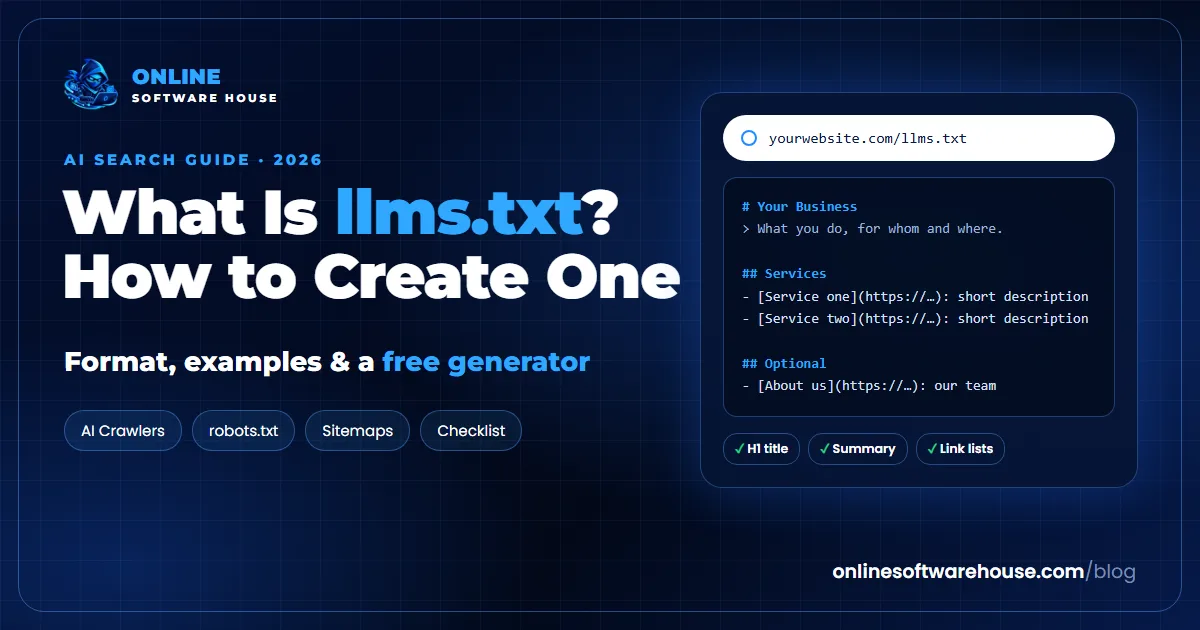
The proposal defines a small, predictable structure in Markdown. In order:
- An H1 title with the name of your site or business. This is the only required part.
- A blockquote (a line starting with
>) with a one or two sentence summary of what you do. - Optional details in normal paragraphs or lists: who you serve, where, and anything an AI should know.
- H2 sections (such as "Services", "Guides", "Docs") each containing a list of links in the form
- [Page title](https://url): short description. - An "Optional" H2 section for pages that are useful but can be skipped when an AI has limited space.
llms.txt example for a business website
Here is a complete example for a small business. Copy it and change the details to match yours:
# Example Dental Clinic

> Family and cosmetic dental clinic in Dubai Marina, Dubai, UAE, offering check-ups, teeth whitening, implants and braces. Open 7 days, English and Arabic speaking dentists.

Example Dental Clinic has served Dubai Marina, JLT and JBR since 2015. Prices are in AED. Book online or call +971 4 000 0000.

## Services
- [Teeth whitening](https://example.com/teeth-whitening/): Laser and home whitening, prices and results
- [Dental implants](https://example.com/dental-implants/): Single and full-arch implants, process and costs
- [Braces and aligners](https://example.com/braces/): Metal, ceramic and clear aligners for adults and teens

## About
- [About us](https://example.com/about/): Our dentists, qualifications and clinic
- [Contact and location](https://example.com/contact/): Address, map, opening hours and booking

## Guides
- [Teeth whitening cost in Dubai](https://example.com/blog/teeth-whitening-cost-dubai/): Price ranges and what affects them

## Optional
- [Patient reviews](https://example.com/reviews/): What patients say about us
- [Careers](https://example.com/careers/): Jobs at the clinic
What is llms-full.txt?
Some websites also publish llms-full.txt: one large Markdown file containing the full text of their key pages, so an AI tool can read everything in a single request. It is most useful for documentation and knowledge bases. For a typical business website, a well-written llms.txt is enough. If you do create llms-full.txt, keep it updated, because outdated text there is worse than none.
How to create an llms.txt file in 5 steps
Step 1: Generate a first draft from your sitemap
Saves you: writing the file by hand: it reads your sitemap and builds the structure for you
Enter your domain, site name and a one-line description. The generator checks whether you already have an llms.txt (and validates it), reads your sitemap or crawls up to 40 pages, fetches page titles and descriptions, groups your pages into sections by URL path, moves less important pages into an "Optional" section and drops boilerplate descriptions. You get a ready file to download.
Generate my llms.txt freeStep 2: Edit it like a human
A generator gives you the structure; you add the judgement. Rewrite the summary in plain language, remove pages that do not help a customer (tags, login, thin pages), make each description say what the page answers, and put your most important pages first in each section. Aim for quality, not quantity.
Step 3: Upload it to the root of your website
The file must be reachable at exactly https://yoursite.com/llms.txt, served as plain text.
- Any hosting with file access: upload
llms.txtto the same folder as yourrobots.txt(oftenpublic_html). - WordPress: upload it with your host's file manager or FTP into the WordPress root folder, or use an SEO plugin that supports llms.txt.
- Hosted website builders: if you cannot upload root files, check whether your platform or an app offers llms.txt support.
Step 4: Make sure AI crawlers can actually reach it
Makes sure: your robots.txt and firewall are not blocking the AI tools you want to read llms.txt
An llms.txt file is useless if the bots that would read it are blocked. The checker tests 17 AI bots against your robots.txt, visits your site as several of them to detect firewall or CDN blocks, and checks that your llms.txt is reachable.
Check my AI crawler accessStep 5: Keep it up to date
Review your llms.txt whenever you add a main service, change prices or restructure your site. Broken or outdated links in llms.txt send AI tools to the wrong place. A quick check every quarter is enough for most businesses. Run the Sitemap Auditor at the same time to keep your sitemap healthy too.
Common llms.txt mistakes
- Using it to block AI. It cannot block anything. Use robots.txt.
- Dumping every URL. It is a curated list, not a second sitemap.
- Marketing fluff in the summary. "The leading innovative solution" tells an AI nothing. Say what you do, for whom and where.
- Wrong location or format. It must be at the root, named exactly
llms.txt, served as text, not HTML. - Linking to redirected or noindex pages. Link only to final, live, indexable URLs.
- Expecting a ranking boost. It helps AI tools that read it; it is not a Google ranking factor.
llms.txt checklist
- The file is at https://yoursite.com/llms.txt and opens as plain text.
- It starts with an H1 containing your business or site name.
- A one or two sentence summary in a blockquote says what you do, for whom and where.
- Pages are grouped in H2 sections with descriptive link lists.
- Every link is a live, final, indexable URL.
- Less important pages are in an Optional section.
- AI search bots are allowed in robots.txt and not blocked by your firewall.
- You have a reminder to review it every quarter.
Free tools for AI search and crawling
llms.txt works best together with a healthy robots.txt, sitemap and clear, quotable content. These free tools cover each part:
- llms.txt Generator: create and validate your llms.txt.
- AI Crawler Checker: see which AI bots can read your site.
- Robots.txt Checker and Robots.txt Generator: test and write crawler rules.
- Sitemap Auditor: find errors in your XML sitemap.
- Citability Scorer: make your pages easy for AI to quote.
Frequently asked questions
What is llms.txt?
llms.txt is a Markdown file at the root of a website (yoursite.com/llms.txt) that gives AI tools a short summary of the site and a curated list of its most important pages with one-line descriptions. It was proposed in 2024 to help large language models understand websites.
Is llms.txt an official standard?
No. It is a community proposal, not an official web standard like robots.txt (RFC 9309) or XML sitemaps. Support varies between AI companies and tools.
Does llms.txt help SEO?
Not for Google: Google has said it does not use llms.txt for Search. It can help AI tools, agents and coding assistants that choose to read it. Treat it as a quick, free extra, not a ranking factor.
Can llms.txt block AI from using my content?
No. llms.txt cannot allow or block anything. To control AI crawlers, use robots.txt rules for each bot, and check that your firewall or CDN is not blocking bots you want to allow.
Where do I put llms.txt?
At the root of your domain, so it opens at https://yoursite.com/llms.txt, in the same folder as robots.txt. It should be served as plain text.
What is the difference between llms.txt and llms-full.txt?
llms.txt is a short index of links with descriptions. llms-full.txt contains the full text of your key pages in one Markdown file, which is mostly useful for documentation sites.
How often should I update llms.txt?
Whenever you add or remove a main service or restructure your site, and at least every few months. Remove broken or redirected links and keep descriptions accurate.
How do I create an llms.txt file for free?
Use a free llms.txt generator that reads your sitemap and builds the file, then edit the summary and descriptions by hand and upload it to your website root.