Quick answer
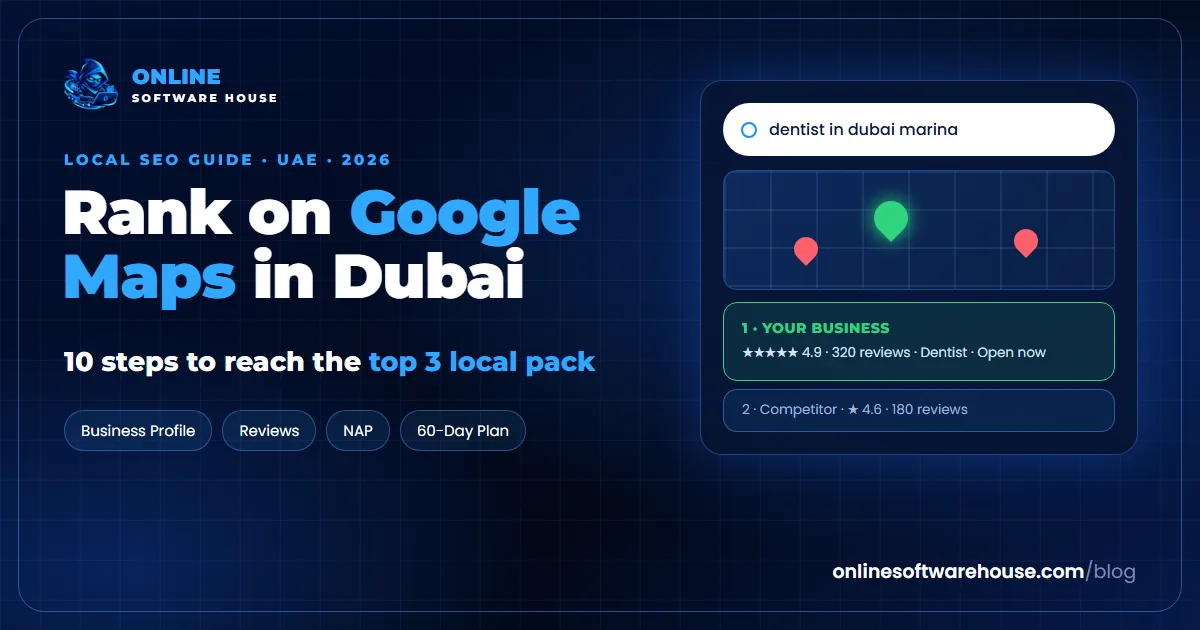
To rank on Google Maps in Dubai, claim and fully complete your Google Business Profile, choose the most specific primary category, keep your name, address and phone identical everywhere, earn a steady flow of Google reviews and reply to them, and build a website page for each service and area you serve. Google ranks local results on three things: relevance (how well your profile matches the search), distance (how close you are to the searcher or the area in the search) and prominence (how well known and trusted your business is). You cannot move your shop, so you win on relevance and prominence.
Key takeaways
- Your primary category is the single strongest setting you control on your profile.
- Reviews are a race: what matters is how you compare with the businesses above you, and how recent your reviews are.
- In Dubai, write your address the same way everywhere (building, street, area), since there are no postcodes to anchor it.
- Each important area and service needs its own useful page on your website.
- Use the free local SEO tools and the 60-day plan below to do it step by step.
How Google Maps ranking works
When someone searches "dentist in JLT" or "AC repair near me" in Dubai, Google shows a map with three businesses (the local pack) in normal search, and a longer list in Google Maps. Google says local results are based mainly on three factors:
- Relevance: how well your profile and website match what the person searched. Categories, services, your business description and your website content all count.
- Distance: how far your business is from the searcher, or from the area named in the search ("in Business Bay").
- Prominence: how well known your business is: the number and quality of reviews, links and mentions across the web, and your overall search presence.
Distance is mostly fixed. A clinic in Dubai Marina will struggle to rank in Deira, however good its profile is. That is normal. Focus on winning the areas around you and the searches that name your area, and win everywhere else with your website.
What is different about local SEO in Dubai?
- No postcodes. Most UAE addresses do not use postal codes, so the building name, street, area and landmarks do the work. Pick one format and use it everywhere.
- Dense, competitive areas. Business Bay, JLT, Dubai Marina, Downtown, Al Barsha and Deira can have dozens of similar businesses within a few hundred metres. Small advantages in reviews and categories decide who appears in the top three.
- Two languages. Customers search in English and Arabic. Your website can serve both, and many searches mix English service names with local area names.
- Many free zones and shared offices. Google only allows a profile at an address where you serve customers in person or have staff. A virtual office or shared desk address can get your profile suspended.
- Service-area businesses. Movers, cleaners, AC repair and many trades visit customers. They should hide their address and set their service areas instead of showing a home or office address.
10 steps to rank higher on Google Maps in Dubai
Work through these in order. Each step has a free tool that checks your situation and tells you what to fix.
Step 1: Audit your Google Business Profile
Helps you rank by: showing exactly what your profile is missing compared with the businesses above you
Enter your business name and city. The auditor finds your listing on Google Maps and checks your rating, number of reviews, primary category, phone, website and address, then compares you with the top competitors in the same search. You also get a full optimisation checklist.
Do not have a profile yet? Create or claim it at business.google.com and complete verification. Google may ask for a video showing your signage, premises and proof of business.
Audit my Google Business ProfileStep 2: Choose the right primary category
Your primary category tells Google what you are. Choose the most specific one that matches your main service ("Cosmetic dentist" rather than "Dentist" if that is your focus, "Air conditioning repair service" rather than "Contractor"). Then add secondary categories for every other real service. Look at the categories of the businesses ranking in the top three for your main keyword: the Local Pack Analyser shows them.
Step 3: Complete every part of your profile
- Business name: your real name exactly as on your trade licence and signage. Adding keywords ("Best Dentist Dubai Marina") breaks Google's rules and risks suspension.
- Hours: include Friday timings, Ramadan hours and public holidays. Wrong hours lead to bad reviews.
- Services and products: list every service with a short description and a price range in AED.
- Description: 750 characters on what you do, for whom and in which areas. Write for customers, not for keywords.
- Photos: logo, cover, exterior with signage, interior, team and real work. Add new photos every month.
- Attributes: languages spoken, accessibility, payment options and anything else that applies.
Step 4: See who you are up against
Helps you rank by: showing the exact gap in reviews, rating and category between you and the top three
Enter a keyword ("dentist"), your city and your business name. The analyser shows the businesses in the Google Maps results with their rating, number of reviews and category, where you appear, and the gaps you need to close to reach the top three. Check your 5 most important keywords, one by one.
Good to know: Local results change with the searcher's exact location. The tool shows a typical result for the city, not for one street.
Analyse my local packStep 5: Make your name, address and phone consistent
Helps you rank by: finding old addresses, phone numbers and name variations that confuse Google and customers
NAP means Name, Address and Phone. Google compares them across your website, directories and social profiles to confirm where your business is. Paste the URLs of your listings: the checker reads each page and flags inconsistent names, old addresses or different phone numbers.
Dubai tip: write your address the same way everywhere, for example "Office 1204, Example Tower, Sheikh Zayed Road, Al Barsha 1, Dubai, UAE", and always show your phone in the same +971 format.
Check my NAP consistencyStep 6: Get listed in UAE directories
Listings on trusted directories (often called citations) add prominence and help customers find you. Start with the ones that matter for every business, then add the ones for your industry:
| Type | Where to be listed |
|---|---|
| Every business | Google Business Profile, Bing Places, Apple Business Connect, Facebook, Instagram, LinkedIn, Yellow Pages UAE |
| Restaurants and cafes | Talabat, Deliveroo, Tripadvisor, Zomato |
| Real estate | Bayut, Property Finder, Dubizzle |
| Hotels and tourism | Tripadvisor, Booking.com, Expedia |
| Clinics and healthcare | Healthcare directories and insurance network listings you belong to |
| B2B and services | Industry associations, chamber of commerce and trade directories |
Quality beats quantity: ten correct, complete listings are worth more than a hundred spam directories.
Step 7: Win the review race
Helps you rank by: showing how fast you gain reviews compared with competitors, and how many to aim for each month
Reviews are one of the strongest prominence signals, and recent reviews matter. Upload a list of your reviews with dates and ratings (and a competitor's, if you have it). The tracker shows reviews per month, your rating trend, your velocity against the competitor and a monthly review target.
- Ask every happy customer, right after the job, with your short review link (by WhatsApp works well in the UAE).
- Reply to every review, positive or negative, within a few days.
- Never buy reviews or offer rewards for them: it breaks Google's rules and can remove all your reviews.
Step 8: Build a page for each service and area
Helps you rank by: planning the location pages that help you rank in more areas without creating duplicate content
Enter your services and the Dubai areas you cover. The mapper builds a prioritised plan of pages with titles, URLs, headings and meta descriptions, an internal linking plan and LocalBusiness schema with areaServed. Link your Google Business Profile to the most relevant page.
Make each page genuinely local: real projects in that area, local reviews, prices, photos, directions and parking information. Pages that only swap the area name are treated as low-quality doorway pages.
Plan my service area pagesStep 9: Make your website support your profile
- Show the same name, address and phone as your profile, on your contact page and footer.
- Add LocalBusiness schema with your address, phone, opening hours and map coordinates. Create it with the free Schema Markup Generator.
- Embed a Google map and write clear directions with landmarks and the nearest metro station.
- Show prices in AED, phone numbers in +971 format and dates the UAE way. Check it with the Currency & Format Checker.
- If you have several branches, give each one its own page and its own profile. Audit them together with the Multi-Location Auditor.
- If you serve Arabic speakers, offer Arabic pages with correct hreflang tags. Validate them with the Hreflang Auditor.
Step 10: Stay active
Profiles that look alive tend to perform better and convert better. Publish a Google post every week or two (offers, news, events, seasonal campaigns for Ramadan, Eid, summer and Dubai Shopping Festival), answer questions in the Q&A section, upload new photos and keep your hours current. Check your local rankings once a month with the Local Pack Analyser to see what is working.
8 Google Maps mistakes Dubai businesses make
- Keyword-stuffed business names, which risk suspension.
- Using a virtual office or flexi-desk address for a business that does not serve customers there.
- The wrong primary category, often a generic one.
- Different phone numbers on the website, profile and directories.
- Missing Ramadan and holiday hours, leading to angry reviews.
- Ignoring reviews, especially negative ones.
- Linking the profile to the home page instead of the matching location or service page.
- Copy-paste area pages that only change the area name.
Your 60-day local SEO plan
| When | What to do | Free tools |
|---|---|---|
| Week 1 | Audit your profile, fix the category, complete every section, add 10+ photos | GBP Auditor, Local Pack Analyser |
| Week 2 | Fix NAP everywhere and claim the main directories | NAP Consistency Checker |
| Weeks 3 to 4 | Start a review request routine and reply to every review | Review Velocity Tracker |
| Weeks 5 to 6 | Publish your top 3 service and area pages with LocalBusiness schema | Service Area Mapper, Schema Generator |
| Weeks 7 to 8 | Weekly Google posts, Q&A, new photos, then re-check your rankings | Local Pack Analyser |
Local SEO compounds. Keep the review routine and weekly posts going after day 60, and add one new area or service page each month.
Google Maps checklist for Dubai businesses
- Your Google Business Profile is claimed and verified.
- The business name matches your trade licence and signage, with no extra keywords.
- The primary category is the most specific match for your main service.
- Hours include Fridays, Ramadan and public holidays.
- All services are listed with descriptions and AED price ranges.
- The profile has photos added in the last month.
- Your name, address and phone are identical on your website, profile and directories.
- You have a review routine and reply to every review.
- The profile links to the matching page on your website.
- Your website has LocalBusiness schema, a map and clear directions.
- Each important service and area has its own useful page.
Free local SEO tools
All the tools in this guide are part of our free Local & International SEO tools, alongside 107 free SEO tools in total. No credit card, no downloads.
Frequently asked questions
How do I rank higher on Google Maps in Dubai?
Complete and verify your Google Business Profile, pick the most specific primary category, keep your name, address and phone identical everywhere, earn steady Google reviews and reply to them, and link your profile to a useful page on your website for that service and area.
How long does it take to rank on Google Maps?
Fixes such as a better category or complete profile can show results within a few weeks. In competitive Dubai areas, reaching the top three usually takes 2 to 6 months of steady reviews, posts and website improvements.
Can I use a virtual office address for Google Business Profile in Dubai?
Only if you actually serve customers at that address during your opening hours or have staff there. Virtual offices and shared desks used only for a trade licence often lead to suspension. Service-area businesses should hide their address and set service areas instead.
Do I need a postcode for my Dubai address?
No. Most UAE addresses do not use postcodes. Use a clear, consistent format with unit, building, street and area, and write it exactly the same way on your profile, website and directories.
How many Google reviews do I need to rank in Dubai?
There is no fixed number. Compare yourself with the businesses in the top three for your main keyword, aim to match or beat their review count over time, and keep new reviews coming every month.
Should my Google Business Profile be in English or Arabic?
Use your official business name as it appears on your licence and signage. You can serve both languages on your website with separate English and Arabic pages linked with hreflang, and reply to reviews in the language the customer used.
Does my website affect my Google Maps ranking?
Yes. Your website supports relevance and prominence. Matching name, address and phone, LocalBusiness schema, service and area pages, good reviews and quality links all help your profile rank.
Can I rank on Google Maps in areas where I have no office?
It is hard, because distance is a strong factor. Service-area businesses can set the areas they serve, and location pages on your website help you rank in normal search for those areas, but your map ranking will be strongest near your address.